
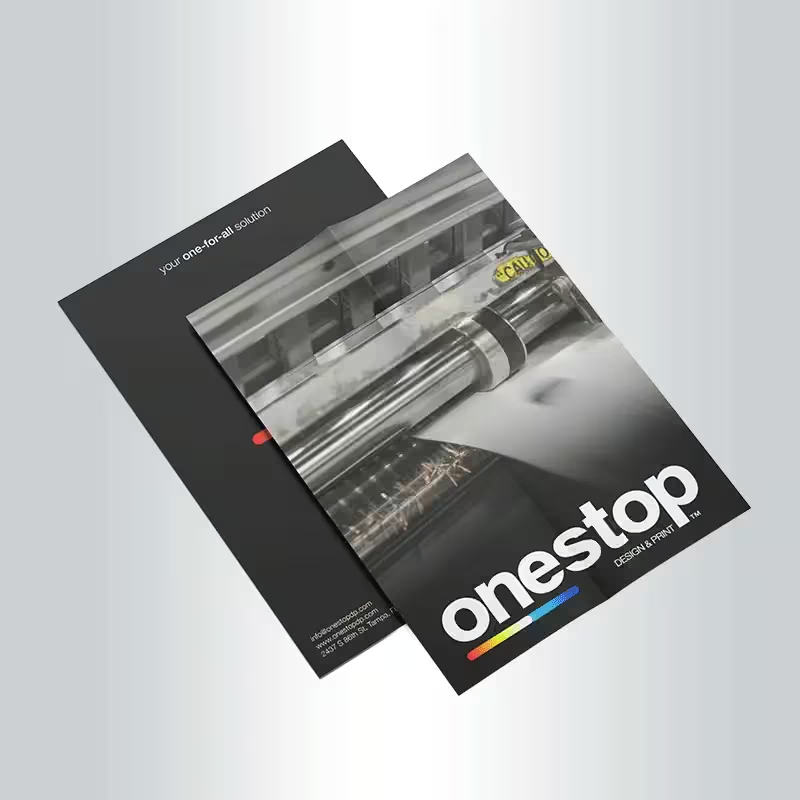
Custom Flyer printing in Tampa for business promotions, events, restaurants, real estate, services, menus and local advertising campaigns.
- Crisp full-color flyer printing
- Single-sided or double-sided options
- Horizontal or vertical layouts
- Popular and custom sizes available
- Gloss, matte or uncoated paper stocks
- Optional cardstock upgrades
- AQ and UV coating options where available
- Same-day or next-day rush production on qualifying orders
- Design assistance available with qualifying orders
- Quantities from 250 to 10,000
- Ideal for promotions, events, menus, services, real estate and advertising
Flyers
Custom Flyer printing in Tampa for business promotions, events, restaurants, real estate, services, menus and local advertising campaigns.
- Crisp full-color flyer printing
- Single-sided or double-sided options
- Horizontal or vertical layouts
- Popular and custom sizes available
- Gloss, matte or uncoated paper stocks
- Optional cardstock upgrades
- AQ and UV coating options where available
- Same-day or next-day rush production on qualifying orders
- Design assistance available with qualifying orders
- Quantities from 250 to 10,000
- Ideal for promotions, events, menus, services, real estate and advertising
Custom Flyer Printing in Tampa
Full-Color Flyers for Promotions, Events and Local Advertising
Custom Flyers provide a focused, easy-to-distribute format for promoting businesses, services, events, menus, properties, sales and special offers.
OneStop Design & Print provides custom flyer printing in Tampa for restaurants, retailers, real estate professionals, contractors, schools, event planners, healthcare offices, hospitality businesses and local organizations.
Choose from popular or custom dimensions, single- or double-sided printing, horizontal or vertical layouts, multiple paper types and available coating options to build the right flyer for your campaign.
Flexible Marketing
Put One Clear Promotion in Your Customer’s Hands
Flyers can announce an event, introduce a service, promote a sale, share a menu, highlight a property or direct customers toward a website, phone call, store visit or booking page.
The strongest flyer designs focus on one main message, a clear visual, essential supporting information and an easy-to-find call to action.
Sales & Offers
Promote discounts, new services, seasonal offers, product launches and special campaigns.
Event Advertising
Share event names, dates, locations, admission details and registration information.
Local Marketing
Use flyers for customer outreach, service areas, storefront distribution and neighborhood campaigns.
Popular & Custom Sizes
Choose a Flyer Size That Fits Your Message
Compact sizes work well for coupons, menus, rack-style promotions and short handouts. Larger formats provide more room for schedules, photography, service lists, real estate information and detailed promotional content.
| Size | Recommended Use |
|---|---|
| 8.5″W × 3.5″H | Coupons, compact promotions, menus and rack-style handouts |
| 4.25″W × 11″H | Menus, service lists, event schedules and narrow promotional layouts |
| 5.5″W × 8.5″H | General promotions, events, property information and handouts |
| 8.5″W × 11″H | Detailed advertising, menus, events, sales sheets and presentations |
| Custom Size | Campaign-specific layouts within production limits |
Printed Sides
Single-Sided or Double-Sided Flyer Printing
Focused Promotion
Use one printed side for a direct message while leaving the reverse blank.
More Marketing Space
Add services, menus, maps, schedules, terms, contact details or supporting information to the reverse.
A strong two-sided design can place the primary offer and image on the front while using the back for supporting details and the call to action.
Layout Options
Horizontal or Vertical Flyer Designs
Traditional Flyer Layout
Works well for menus, business promotions, events, real estate marketing and informational handouts.
Wide Promotional Layout
Useful for panoramic images, schedules, comparisons, wide menus and modern campaign designs.
Artwork must be prepared in the exact dimensions and orientation selected for production.
Paper & Coatings
Choose Gloss, Matte or Uncoated Flyer Stock
Vibrant Presentation
Works well for photographs, food imagery, retail promotions and bold full-color advertising.
Lower-Glare Appearance
A softer presentation for real estate, professional services, healthcare and informational materials.
More Writing-Friendly
A natural paper surface that can be useful when flyers need writing, stamping or marking.
Cardstock Upgrades
Choose a Thicker Flyer for Repeated Handling
Optional cardstock upgrades create a more substantial printed piece for premium promotional handouts, menus, invitations, product information, display inserts and materials expected to receive more handling.
Available cardstock and finishing combinations depend on the selected dimensions, quantity, printed sides, coating and production schedule.
AQ & UV Coatings
Add Protection or a More Polished Surface
Aqueous Protective Layer
A clear coating applied over the printed surface for added protection.
Polished Visual Finish
A coating option that can enhance color depth and create a more polished appearance.
Coating availability depends on paper stock, flyer size, printed sides and quantity. Coated surfaces may not accept every pen, pencil or stamp.
Business & Service Flyers
Promote Local Services with Clear Contact Information
Flyers work well for landscaping, cleaning, roofing, painting, plumbing, HVAC, remodeling, transportation, photography, personal care and other local services.
Keep the business name, primary service, phone number, website, service area and main offer easy to find.
Avoid overcrowding the layout with long paragraphs or excessive service lists.
Event Flyers
Promote Events with the Details People Need
Custom event flyers can support festivals, concerts, workshops, school programs, fundraisers, church events, sports programs, grand openings, community meetings and seasonal celebrations.
- Event name
- Date
- Start time
- Location
- Admission information
- Registration method
- Contact information
- Primary call to action
Restaurant & Menu Flyers
Promote Menus, Catering and Special Offers
Restaurants can use custom flyers for takeout menus, delivery promotions, catering packages, seasonal specials, coupons, opening offers and event menus.
Use high-resolution food photography, organized prices, concise descriptions and a clear ordering method.
Double-sided printing can provide additional menu space without overcrowding the front.
Real Estate Flyers
Market Listings, Open Houses and Property Services
Real estate professionals can use flyers for listings, open houses, agent introductions, recent sales, development information, leasing opportunities and home-value campaigns.
Use strong property photography, a short list of important features, clear contact information and one direct action such as scheduling a showing or scanning a QR code.
Rush Printing
Same-Day or Next-Day Flyer Printing on Qualifying Orders
Same-day or next-day production may be available for qualifying sizes, paper stocks, quantities, finishes and print-ready artwork submitted before the applicable cutoff time.
Rush availability should always be confirmed before relying on a specific completion date.
Custom dimensions, specialty paper, coatings, design work, artwork corrections or larger quantities may require additional production time.
Bulk Flyer Printing
Quantities from 250 to 10,000
| Quantity | Recommended Use |
|---|---|
| 250 | Local campaigns, storefront handouts and customer outreach |
| 500 | Business promotions, restaurant menus and community events |
| 1,000 | Ongoing advertising, real estate marketing and wider distribution |
| 2,500 | Multi-location promotions, neighborhood campaigns and recurring use |
| 5,000 | Large events, franchises, regional promotions and extended distribution |
| 10,000 | High-volume campaigns, multiple markets and long-term promotional needs |
Specifications
Flyer Printing Specifications
| Specification | Details |
|---|---|
| Product | Custom printed promotional flyers |
| Printing | Full-color printing |
| Printed Sides | Single-sided or double-sided |
| Orientation | Horizontal or vertical |
| Sizes | Popular standard sizes plus custom dimensions within production limits |
| Paper | Gloss, matte or uncoated options |
| Upgrades | Cardstock options where available |
| Coatings | AQ, UV or uncoated options depending on configuration |
| Rush Production | Same-day or next-day may be available on qualifying orders |
| Quantities | 250–10,000 |
| Design Assistance | Available with qualifying orders |
Artwork Requirements
Flyer File Setup
| File Requirement | Recommended Setup |
|---|---|
| Preferred Format | Print-ready PDF |
| Alternative Format | High-resolution JPEG may be accepted |
| Printed Sides | Submit one single-page file for each printed side |
| Color Mode | CMYK |
| Resolution | 300 DPI at full finished size recommended |
| Artwork Dimensions | Use the exact dimensions and orientation selected for the order |
| Artboard | Do not resize the template or alter its proportions |
| Bleed | Extend backgrounds and images through the required bleed area |
| Safety Area | Keep essential text and graphics inside the marked safe zone |
| Crop Marks | Do not include unless specifically requested |
| Fonts | Convert all live fonts to outlines |
| Colors | Convert Pantone and spot colors to CMYK |
Front & Back Artwork
Submit Separate Files for Each Printed Side
- Submit the front as a separate single-page file
- Submit the back as a separate single-page file
- Clearly label each file as front or back
- Use identical finished dimensions and orientation for both sides
- Confirm that the reverse artwork is oriented correctly
- Do not combine both sides into an unapproved multi-page file
Custom Size Setup
Build Custom Flyer Artwork at the Correct Dimensions
- Confirm the exact custom finished dimensions before creating the artwork
- Build artwork at full size whenever possible
- Maintain the correct width-to-height ratio
- Include the required bleed
- Keep essential content inside the safety area
- Do not resize an existing layout without reviewing text size, image quality and spacing
Flyer Design Tips
Create a Flyer That Can Be Understood Quickly
Lead with One Benefit
Use one clear headline that explains the primary promotion, event or offer.
Keep It Simple
Make the main promotion easy to identify without reading long paragraphs.
Use Short Sections
Break supporting information into short paragraphs and organized groups.
Make It Easy to Respond
Keep your phone number, website, address or QR code easy to find.
Use High Resolution
Prepare photographs at sufficient resolution for their final printed size.
Use One Clear Action
Tell the customer exactly what to do next: call, visit, order, register or book.
Event Artwork
Make Critical Event Details Prominent
- Make the event name easy to identify
- Show the date prominently
- Include start time and location
- Add admission details where applicable
- Make registration or contact instructions clear
- Keep sponsor logos organized and readable
- Use a consistent visual style across related event materials
Menu Artwork
Organize Food, Pricing and Ordering Information Clearly
- Group menu items into clear sections
- Keep prices easy to read
- Use high-resolution food photography
- Keep phone numbers and ordering information prominent
- Keep QR codes easy to locate
- Review prices and descriptions carefully before approval
Real Estate Artwork
Lead with Strong Photography and Key Property Features
- Use high-resolution property photography
- Highlight the most important property features
- Avoid overcrowding the flyer with every detail
- Keep the agent name and brokerage easy to find
- Keep contact information prominent
- Use a direct call to action such as Schedule a Tour or View the Listing
QR Code Setup
Make QR Codes Easy to Scan
- Use strong contrast
- Leave clear space around every side of the code
- Keep the QR code away from trim lines
- Keep it away from page edges
- Test the code at its final printed size
- Link it to an active mobile-friendly destination
Rush Order Artwork
Use Complete Print-Ready Files for Time-Sensitive Orders
- Submit complete print-ready artwork before the applicable cutoff time
- Confirm that the selected size qualifies for rush production
- Confirm paper and coating eligibility
- Confirm that the selected quantity qualifies
- Approve proofs and requested corrections promptly
- Allow additional time when significant design work or artwork changes are required
Writing & Stamping
Choose Uncoated Paper When Flyers Need to Be Marked
Uncoated stock is generally the better choice when customers or staff need to write, stamp or mark the flyer.
Gloss, UV-coated and some matte surfaces may not work with every pen, pencil or stamp ink. Test the intended writing tool before using the full order.
Distribution
Plan the Quantity Around Your Campaign
- Estimate the audience and campaign duration
- Identify where flyers will be handed out or displayed
- Confirm permission at selected properties and venues
- Protect printed materials during transportation
- Keep different versions clearly separated when necessary
Counter & Storefront Use
Keep the Main Offer Visible in Flyer Holders
- Use compatible holders near entrances, checkout counters, receptions or waiting areas
- Keep the headline above the holder edge
- Keep the main offer visible
- Refill displays regularly
- Remove outdated promotions
- Keep printed flyers away from spills and excessive moisture
Outdoor Distribution
Distribute Responsibly and Follow Local Rules
- Distribute outdoors only when weather conditions are suitable
- Do not leave loose flyers where they may become litter
- Obtain permission before placing materials on vehicles, doors, public fixtures or private property
- Follow applicable property policies and local requirements
Storage & Handling
Keep Finished Flyers Clean and Flat
- Store flyers flat in a clean, dry indoor location
- Keep them away from moisture and high heat
- Avoid prolonged direct sunlight during storage
- Do not place heavy objects on unsupported stacks
- Protect coated surfaces from sharp or abrasive objects
- Keep different versions and quantities clearly labeled
Tampa Flyer Printing
Custom Flyer Printing in Tampa
OneStop Design & Print provides custom Flyer printing for Tampa restaurants, businesses, retailers, real estate professionals, contractors, schools, healthcare offices, event organizers and local organizations.
Choose the size, orientation, printed sides, paper stock and available coating options that fit your promotion, menu, event, service campaign or advertising project.
Upload print-ready artwork or request design assistance with a qualifying order.
Related Marketing Products
Build a Complete Business Marketing Set
Brochures
Choose folded brochures when you need more room for services, menus, products, properties, photographs and detailed information.
Business Cards
Add professional business cards for networking, appointments, customer follow-up and everyday contact sharing.
Promote Your Tampa Business, Event or Special Offer
Order custom Flyers for promotions, events, restaurant menus, service advertising, real estate marketing and local campaigns.
Frequently Asked Questions
What flyer sizes are available?
Popular sizes include 8.5″ × 3.5″, 4.25″ × 11″, 5.5″ × 8.5″ and 8.5″ × 11″. Custom dimensions may also be available within production limits.
Can Flyers be printed on both sides?
Yes. Choose single-sided printing for a focused promotion or double-sided printing when additional space is needed for menus, services, schedules, property information or contact details.
Can Flyers be horizontal or vertical?
Yes. Horizontal and vertical layouts are available. Artwork should match the exact dimensions and orientation selected for the order.
Which flyer paper options are available?
Options include gloss, matte and uncoated paper. Cardstock upgrades may also be available depending on the selected size, quantity and production configuration.
What is AQ coating?
AQ, or aqueous coating, is a clear protective layer applied over the printed surface. Availability depends on the selected flyer stock, size, sides and quantity.
Is UV coating available?
Yes, UV coating may be available on compatible configurations and can create a more polished appearance with increased visual impact.
Can I order a custom flyer size?
Yes. Custom dimensions may be available within production limits. Confirm the final dimensions before preparing artwork.
Do you offer same-day flyer printing in Tampa?
Same-day or next-day production may be available for qualifying sizes, papers, quantities, finishes and print-ready artwork submitted before the applicable cutoff time. Confirm availability before relying on a specific completion date.
What flyer quantities can I order?
The current product configuration offers quantities from 250 to 10,000 flyers for local promotions, ongoing advertising, events and high-volume campaigns.
Which flyer stock is best for writing or stamping?
Uncoated paper is generally the better choice when writing, stamping or marking is required. Test the intended pen or stamp before using the full order.
What file format is best for flyer printing?
A print-ready PDF is preferred. High-resolution JPEG artwork may also be accepted. Submit a separate single-page file for each printed side.
What resolution should flyer artwork use?
300 DPI at full finished size is recommended for raster artwork.
Can you help with my flyer design?
Yes. Design assistance is available with qualifying orders. Provide your logo, text, contact information, images, preferred colors and the action you want customers to take.
Do you offer custom Flyer printing in Tampa?
Yes. OneStop Design & Print provides custom Flyer printing for Tampa restaurants, businesses, retailers, real estate professionals, contractors, schools, healthcare offices, events and local organizations.
Customer Reviews
Share your experience—leave a review.
 Posted on Google
 Mahmoud Atwa
 The team there is so professional and they were kind enough to answer all my questions on the phone!Posted on Google
 Benjamin BurkhalterAwesome place , the guy that helped me was tremendously nice and respectful and helpful. They are fast and professional and want to win your business, I definitely look forward to working with them again, they seem to have a great variety of things they can help you with and don’t nickel and dime you, give them a go!!Posted on Google
 Matt G**Review for One Stop Signage Company** I recently had the pleasure of working with One Stop Signage Company for a project that required custom signage for my business, and I cannot recommend them highly enough! From start to finish, the entire experience was seamless, professional, and exceeded my expectations. **Quality of Work:** The quality of the signage they produced is outstanding. The materials used are durable, and the printing is vibrant and precise. The attention to detail is evident in every aspect of their work, from the design to the final installation. The signs look incredibly professional and have already garnered compliments from customers. **Customer Service:** The team at One Stop Signage is truly exceptional. They were incredibly responsive, patient, and attentive to my needs. They took the time to understand my vision and provided expert guidance to ensure the final product was perfect. Their communication throughout the process was clear and timely, which made the entire experience stress-free. **Design Expertise:** Their design team is incredibly talented. They took my initial ideas and transformed them into a stunning, cohesive design that perfectly represents my brand. They were open to revisions and made sure I was 100% satisfied before moving forward with production. **Timeliness:** One Stop Signage delivered the project on time, which was crucial for my business launch. They managed to meet a tight deadline without compromising on quality, which I truly appreciated. **Value for Money:** Considering the high-quality materials, craftsmanship, and excellent service, the pricing is very reasonable. They offer great value for the level of expertise and professionalism they provide. **Overall Experience:** Working with One Stop Signage Company was an absolute pleasure. They are a reliable, creative, and customer-focused business that delivers top-notch results. If you’re looking for a signage company that combines quality, professionalism, and outstanding service, look no further. I will definitely be using them for all my future signage needs! **Rating:** ⭐⭐⭐⭐⭐ (5/5) Thank you, One Stop Signage, for helping my business stand out with your incredible work!Posted on Google
 Adham ElbazGreat service and quality finishes. The signs came out even better than we expected and the material was impeccable. Can’t recommend enough
Owner's reply
Thank you so much for your amazing feedback! We're thrilled to hear that you loved the service, quality, and signs. It's wonderful to know that everything exceeded your expectations. We look forward to working with you again in the future!Posted on Google Custom Corner"Excellent quality, quick delivery, and unmatched prices!"
Owner's reply
Thank you so much for your fantastic review! We're thrilled to hear that you are pleased with our quality, delivery speed, and pricing. We look forward to serving you again soon.Posted on Google Mohamed Eldeifi❤️❤️❤️
Owner's reply
Thank you so much for the love and support! We're thrilled to know you had a great experience with us. We look forward to serving you again in the future!Posted on Google Амир АрифовI was looking for the good Print company and hopefully I found it. These guys made me a banner with good quality for the lower price
Owner's reply
Thank you so much for your positive feedback! We're delighted to hear that you're satisfied with the banner's quality and price. It's our goal to provide excellent service, and we're thrilled to have met your expectations. We look forward to serving you again!Posted on Google Omar AboseadaVery professional and very good quality highly recommended
Owner's reply
Thank you for your kind words and recommendation! We are thrilled to hear that you are satisfied with our services and quality. We look forward to serving you again in the future.Posted on Google Mahmoud AfifiI’ve been doing business with Onestop since their days in Wisconsin, and they’ve always been my go-to for printing needs. When they moved to Florida, I tried working with 2-3 other printing companies, but none of them came close to Onestop’s quality and service. On top of that, the alternatives were even more expensive! I decided to give Onestop a call, and I’m so glad I did. They told me they could ship anything I needed directly to me, even though they’re now based in Tampa. That was the best news ever! The quality of their work is unmatched, and their customer service is just as fantastic as I remember. It feels great to know I can still count on Onestop no matter where they are. Highly recommended!
Owner's reply
Thank you for your kind words and continued support! We're thrilled to hear that our quality and service continue to meet your expectations, even from afar. Shipping directly to you is just one of the ways we strive to make sure your experience with us is hassle-free and convenient. Your recommendation means a lot to us, and we look forward to assisting you with future printing needs. Thanks again!
Onestop Design & Print
- 2437 S 86th St E, Tampa, FL 33619
- (813) 400‑3327
- sales@onestopdp.com
- Opening Hours: 10:00am - 5:00pm
- 2437 S 86th St E, Tampa, FL 33619
- (813) 400‑3327
- sales@onestopdp.com
- Opening Hours: 10:00am - 5:00pm